
v1.6.92
Notes tab reorganization with Clinical/Office separation, perpetual discounts for memberships, and clearer out-of-stock alerts.
v1.6.92
Released on February 10, 2026
This release introduces a reorganized Notes tab with Clinical and Office separation, new workspace settings for note title requirements, perpetual discount options for memberships, and improved inventory alerts in invoices.
Highlights
-
Notes Tab Reorganization
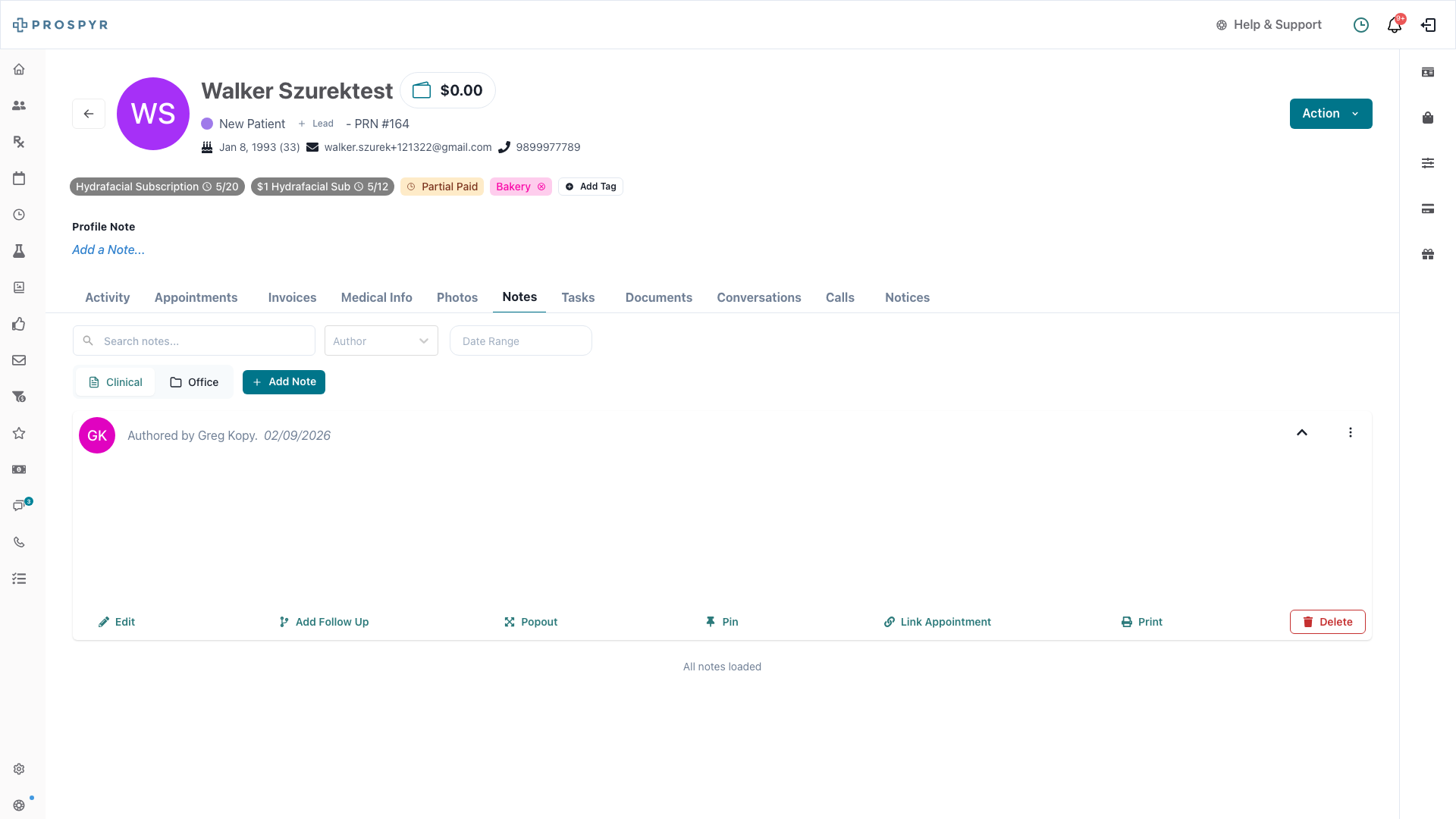
The Notes section within patient profiles has been reorganized with a new dual-tab structure separating Clinical and Office notes. This separation allows clinical staff to quickly access medical notes while administrative staff can focus on office-related communications.
-
Clearer Out-of-Stock Alerts
When products on an invoice exceed available inventory at the current location, users now see a clear warning alert with the ability to override if they have appropriate permissions.
- Warning banner displays when inventory is insufficient
- Line items with stock issues are highlighted with red borders
- “Out of Stock” or “Insufficient Stock” badges clearly indicate the issue
- Override button available for users with appropriate permissions
New Features
-
Option to Require Note Titles
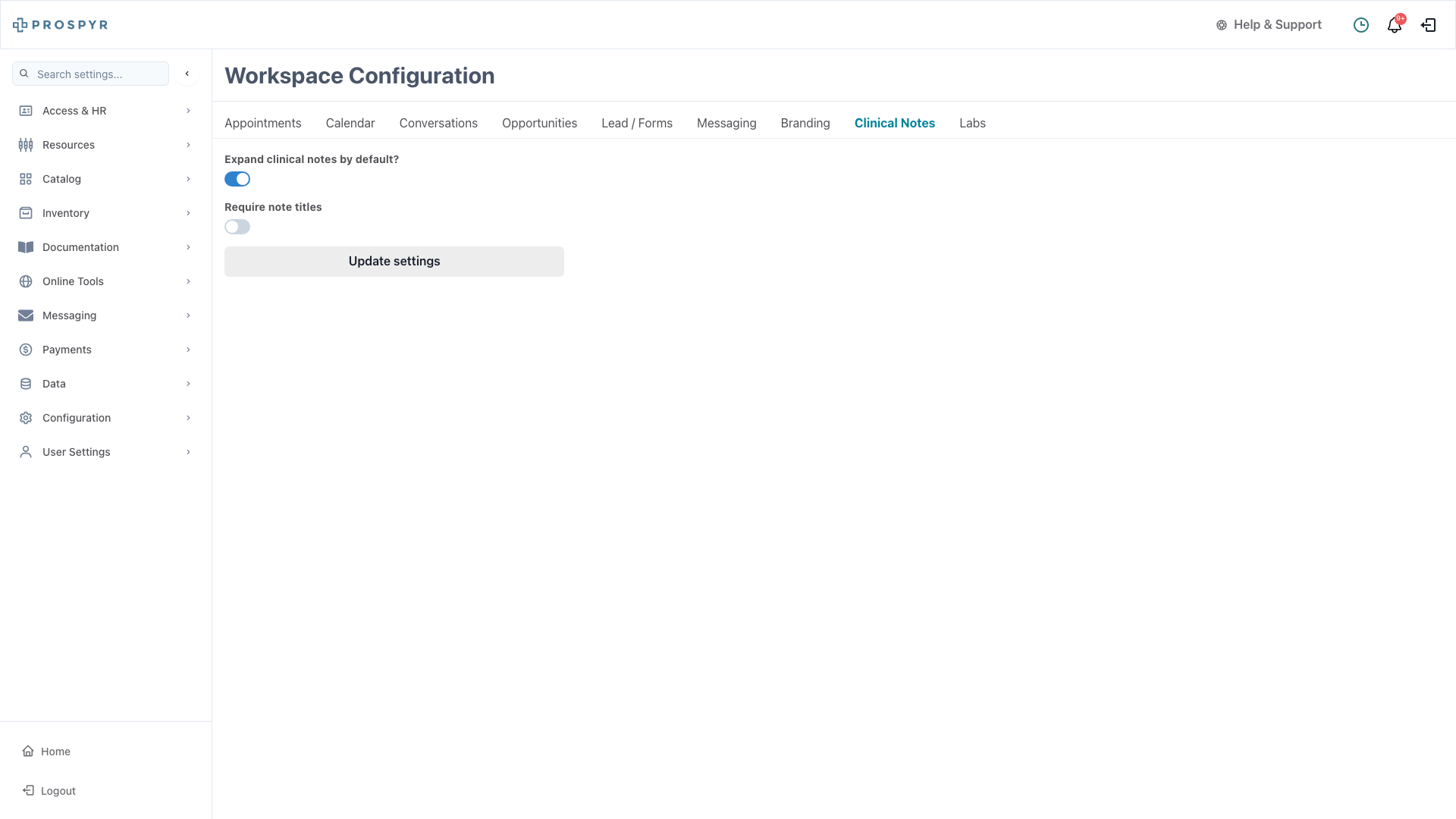
Workspaces can now enforce note title requirements through a new setting in Settings → Configuration → Clinical Notes. When enabled, users must provide a title for every note they create.
-
Perpetual Discount for Patient Memberships
A new option has been added to set perpetual discounts when updating patient memberships. This allows practices to apply ongoing discounts that persist across billing cycles.
- Support for both Fixed ($) and Percentage (%) discount types
- Discounts apply automatically to each membership billing cycle
- Configurable per patient membership
-
Homepage Tasks — No Longer Limited
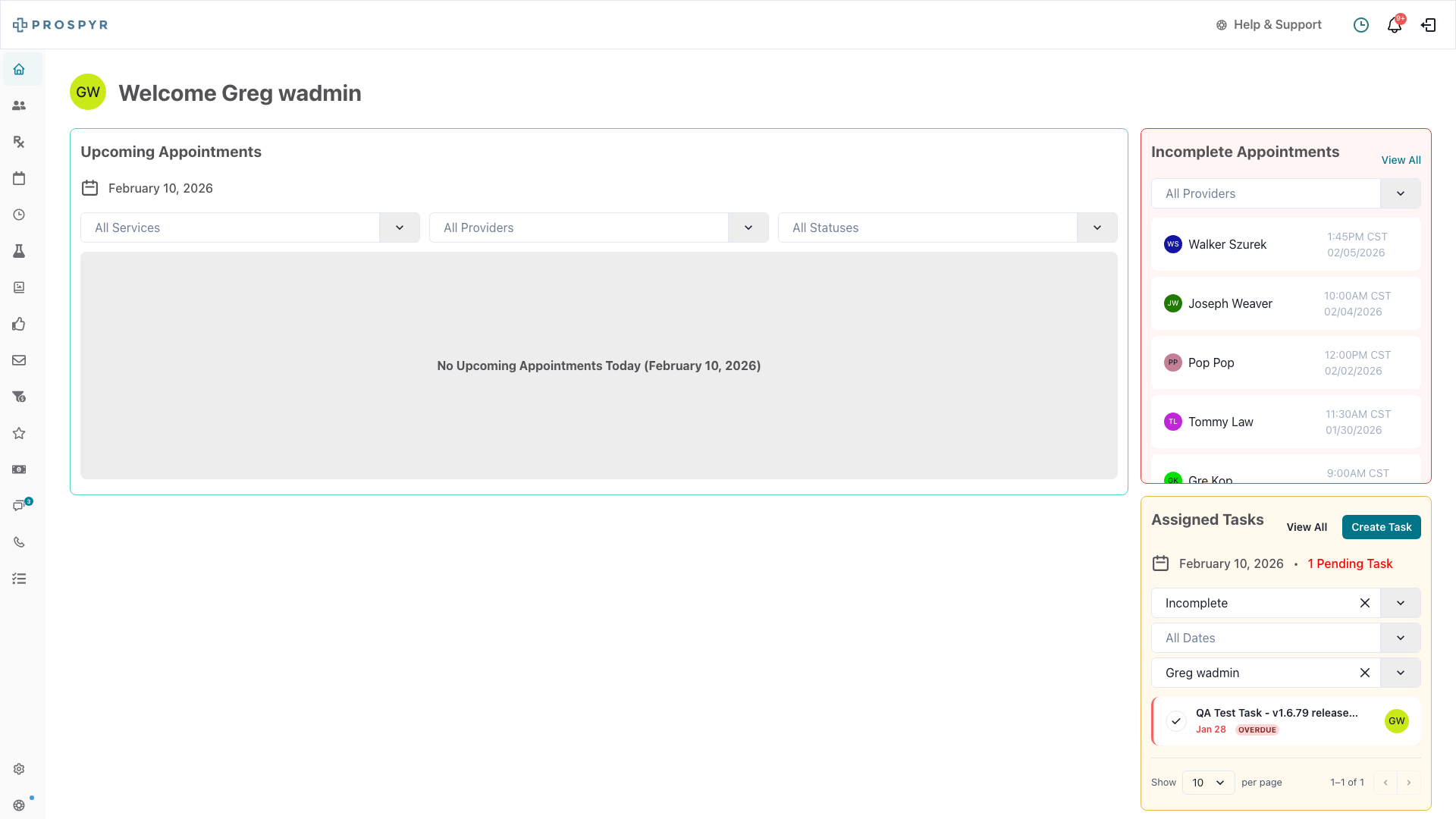
The homepage tasks widget now displays all assigned tasks without pagination limits, providing a complete view of your workload at a glance.
Improvements
-
Rich Diff Viewer for Note Audit Logs
New visual comparison tool showing changes between note versions with side-by-side highlighting.
-
Enhanced Sticky Notes
Improved functionality and user experience for sticky notes throughout the application.
-
Note Editor Modal
Better UX improvements for the note editing experience with streamlined workflows.
Bug Fixes
-
Pre-Post Care Scheduling
Fixed issues with pre-care and post-care message scheduling and the associated UI components. Appointment-related care instructions are now properly scheduled and displayed.
-
Appointments Pagination
Resolved an incomplete pagination implementation for appointments, ensuring all appointments are properly loaded and displayed when scrolling through large lists.
-
Insurance Form
Refactored the insurance form component for improved reliability and user experience.